Nov 18, 2026
Check Austrian Vignette: Status Before Your Trip
Learn how to ensure your digital vignette is correctly assigned to your vehicle and travel date with the ASFINAG validity check.

You are driving to Austria tomorrow morning. The digital vignette is ordered, the payment confirmed, but just before departure, a crucial uncertainty remains: Do the license plate, registration country, and validity start date really match your vehicle and planned route? When checking the Austrian vignette, a glance at the email is especially insufficient for a rental car, motorcycle, or a trip through multiple countries.
Most travelers do not have a purchase problem, but a verification problem. An order or payment confirmation does not automatically indicate that the official status for this specific vehicle is correct. The international search query "provjera vinjete austrija" leads to the same practical question.
The understandable verification process goes through ASFINAG. Vehicle data and typical input errors before the trip are crucial. Vignette Go supports multilingual data entry, payment, and vehicle registration in one checkout as an independent registration service, but it does not replace the official status check.
Status as of November 18, 2026: ASFINAG provides the official validity check
If you still have doubts just before departure, the order confirmation alone does not count. On November 18, 2026, the official ASFINAG validity query is the authoritative control point for digital Austrian vignettes and recorded route tolls. You can check there whether the specific vehicle is registered for the planned use.
This is particularly relevant for those traveling from Germany, picking up a rental car, regularly commuting across the border, or traveling by motorcycle. The query separates the purchase process from the actual entitlement to use.

The official ASFINAG query as the authoritative control point
Enter the registration country and license plate in the official ASFINAG query. You will then see whether a digital vignette or a suitable route toll is recorded for this vehicle. ASFINAG describes the check as a way to determine whether a vehicle is allowed to use Austrian motorways or expressways.
"The validity check shows whether a vehicle is allowed to use Austrian motorways or expressways."
This statement comes from ASFINAG. It highlights the practical difference: A receipt confirms a payment transaction, while the official query checks the status for your vehicle.
Why checking before the first stretch of Austrian motorway matters
You can identify a misrecorded license plate letter, an inappropriate registration country, or a validity period that is not yet active before entering. This allows time for a correction, rather than discovering the error on the road or during a check.
Practical rule: Check the status with ASFINAG immediately before your trip and do not rely solely on the purchase receipt.
Which vehicle owners and rental car drivers are affected
The query is just as relevant for German vehicles as it is for rental cars with Austrian, German, or other license plates. Even for cross-border trips and with motorcycles, the status must match the vehicle actually being used. Vignette Go supports you with multilingual ordering, payment, and registration in one checkout. The final verification occurs with ASFINAG.
If you want to classify the appropriate validity period and variant, the overview of selection and costs of the vignette for Austria fits into the same preparation process.
This data is decided by the query: Registration country, license plate, and validity period
When checking, it is not only important whether an order has been placed. What matters is whether the digital vignette is assigned to the vehicle that is actually driving to Austria.
A transposed number, a missing hyphen, or an incorrect registration country can misalign the status for your vehicle. Therefore, consciously check the information and compare the validity period with your travel date.

Select the registration country correctly
First, select the country where your vehicle is registered. This applies to German license plates as well as Austrian or other foreign registrations. For a rental car, check the country on the actual license plate used, not the location of the rental company.
Next is the security check via CAPTCHA. Only when the entries are accepted will the official query display the status for the entered vehicle. Vignette Go supports you with structured data entry but is not the source of the official status.
Enter the license plate in the expected format
Enter the complete license plate with a hyphen. Emblems, country codes, or additional spaces do not replace the required component. A German example is "M-AB 1234", not just "AB 1234" and not "D M AB 1234".
Weak input: You take only "AB 1234" from a message and omit the local code.
Strong input: You compare "M-AB 1234" directly with the license plate on the vehicle and enter it including the hyphen and registration country.
Distinguish between order, validity start, and vehicle status
A payment or order confirmation initially documents the transaction, not automatically the appropriate status for your vehicle. After entering the license plate, check whether the displayed validity period covers your travel date.
| What changes | Before | After | Who it affects |
|---|---|---|---|
| Basis for checking | Order or payment confirmation as the sole reference | Official query for the specifically registered vehicle | All travelers before entering Austria |
| Vehicle reference | License plate is only taken from the order | Complete license plate and registration country are consciously checked | German vehicle owners, commuters, and rental car drivers |
| Time check | Validity start is not checked again | Validity period is compared with the travel date | Last-minute holidaymakers and business travelers |
| Access to the check | No additional control after purchase | Security check via CAPTCHA before status display | Users of the official ASFINAG query |
Weak control: You see the payment confirmation and start immediately, even though the validity start is not until the next day.
Strong control: You check vehicle data, registration country, and period immediately before departure. ASFINAG monitors registration on motorways with automatic cameras and through the monitoring and control service, as the authority explained on April 17, 2024. The ASFINAG documentation on control describes these verification processes.
What the confirmed or missing status means for your specific trip
A confirmed status only helps you if the vehicle, vehicle type, license plate, registration country, and travel date actually match. A transposed number turns a valid entry for another vehicle into an unusable proof.
Therefore, before the border, the display "valid" is not enough. Match the status with the vehicle you are actually driving. Only then is it clear whether the trip can begin as planned.
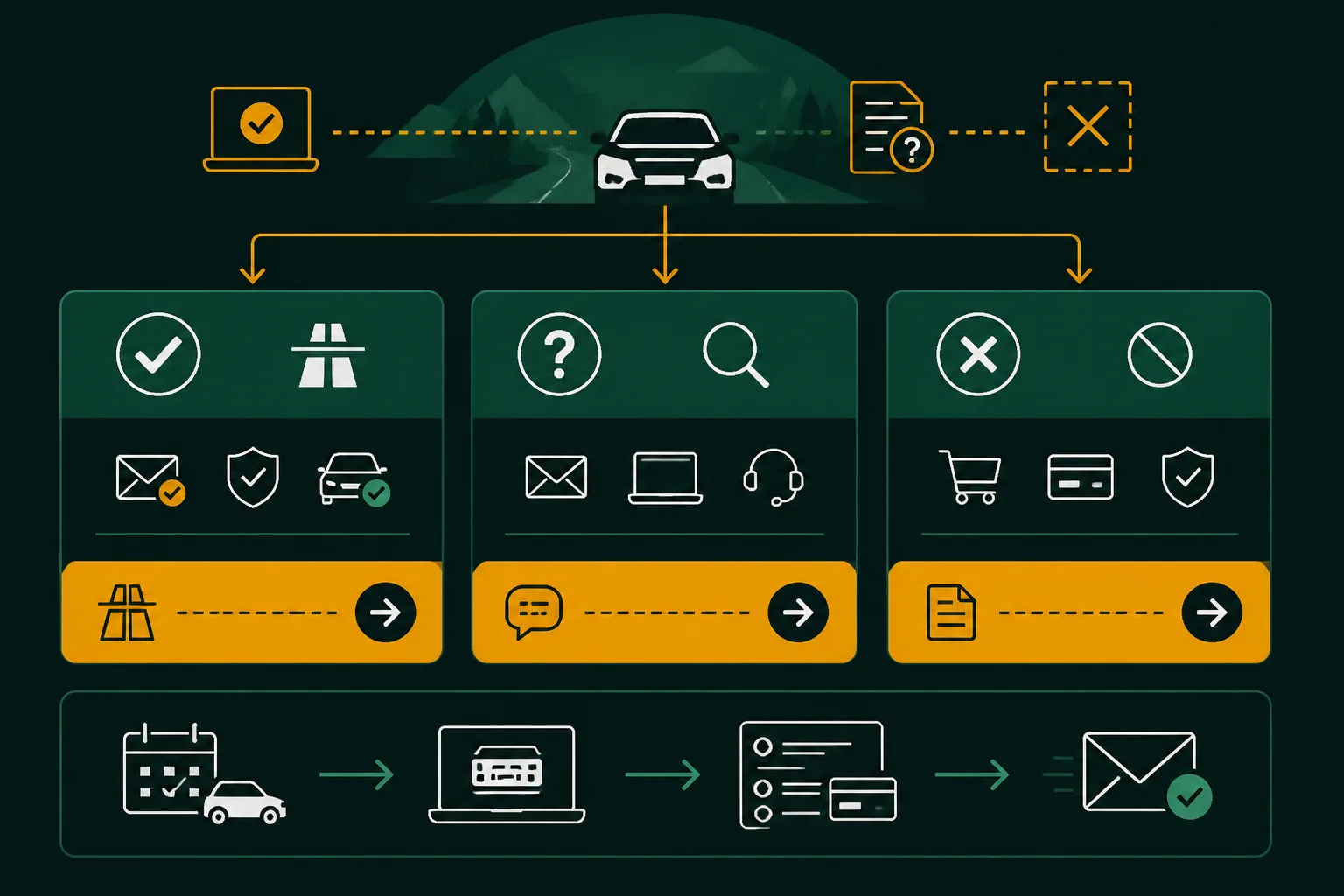
With "valid", still check license plate and travel date
When you have a confirmed status, check the license plate character by character. Also, compare the registration country and validity start with your planned entry date. A vignette that starts later does not cover your trip today.
The vehicle type must not be treated casually either. ASFINAG distinguishes between motorcycles, passenger vehicles, light commercial vehicles of category N1, minibuses, trucks, trailers, and motorhomes. If you are using a different vehicle, a suitable period alone is not enough. The ASFINAG documentation on different vehicle types describes this classification.
"Valid" is only practically useful for you when the displayed entry belongs to exactly this vehicle and this travel date.
If "not found", first check entries and order confirmation
If your vignette is not found, first check the entry again. Pay special attention to a transposed number, the correct registration country, and the validity start. Then compare the information with the order confirmation, not just the payment confirmation.
Weak: For the vehicle with the license plate B-AB 4821, you immediately reorder, even though the confirmation states B-AB 4281.
Correct: The license plate B-AB 4821, the registration country Germany, and the desired start date are checked again. Only then do you initiate a suitable registration if the original order does not belong to the vehicle.
- Transposed number: You check each license plate character against the registration certificate and the order confirmation.
- Incorrect registration country: You correct the country entry only through a suitable new registration if the existing entry does not belong to the vehicle.
- Too late validity start: You only drive after the validity begins on the vignette-required route or arrange a suitable solution beforehand.
- No display: You check entries, order confirmation, and actual vehicle again before departure.
For rental cars and vehicle changes, check registration anew
With a rental car, you do not automatically take over the data of a previous vehicle. Check the license plate on the actual car you have taken over and verify that the vehicle type and registration country match. This also applies if a replacement vehicle, a second car, or another motorcycle is used.
Vignette Go supports you with multilingual data entry, ordering, and vehicle registration in one checkout. The transparent service fee is added to the official vignette price. However, the service does not replace an official status display. Continue to check the entry after registration yourself.
Before departure: You only set off if the confirmed status matches the vehicle actually used and the travel date. In case of a discrepancy, stop, check the information again, and arrange a suitable registration before entering.
Start with three checks before entering Austria
If your vehicle changes at short notice or a rental car is ready, a saved purchase receipt is not enough. You need certainty for exactly the vehicle that is actually driving to Austria.
The sensible order is simple: First, check the vehicle data, then the official status, and lastly the match with your travel plan.
- Define the vehicle: You have the vehicle you are actually using and its registration country in front of you.
- Check status: You check the complete license plate with ASFINAG and complete the required security check.
- Match travel: You compare the displayed validity period with your entry date and planned route.
Prepare vehicle data
Start with the vehicle you are actually driving. Have the registration country and complete license plate from the registration certificate ready. For a rental car, the vehicle taken over counts, not the license plate from a previous reservation. This also applies if multiple vehicles are registered in your household.
Check status with ASFINAG
Open the official ASFINAG validity query. Select the correct registration country, enter the license plate completely, and complete the security check. A found status is only useful if the displayed vehicle data matches your car. An email about the order does not replace this query.
Clarify discrepancies before departure
If the license plate, registration country, or validity start do not match, do not drive to Austria based on this. Check the order data and arrange for a correction or re-registration. Vignette Go offers you a clear, multilingual entry in one checkout for this. The official control with ASFINAG remains the last step.
- Start today with one page: Place the registration certificate of the vehicle you are actually driving next to you.
- Then check officially: Transfer the registration country and complete license plate into the ASFINAG query.
- Only then decide: Compare status and validity period with your specific travel plan.
If you are looking for a faster way to enter data, Vignette Go offers international travelers, rental car drivers, and commuters multilingual registration, payment processing, and vehicle assignment in one checkout. The information on digital vignettes and country processes complements this process. The official ASFINAG check remains necessary.