Nov 12, 2026
Registering the Digital Vignette in the Czech Republic
Learn how to correctly register your digital vignette in the Czech Republic to avoid errors with license plates, registration country, and validity for a relaxed journey.

You are already driving to the Czech Republic, the border crossing is near, and you still need the digital vignette for your German car, rental car, or motorcycle. If you want to register the digital vignette in the Czech Republic now, you must correctly enter the registration country, license plate, vehicle category, and travel duration.
Just before departure, clear allocation matters. Vehicle data, type of vignette, and validity must match the vehicle and the planned route for the registration to be valid during a check.
The official sales option remains the factual reference. Vignette Go offers an independent, multilingual registration service for multiple countries through a single checkout. In addition to the official vignette price, a transparent service fee applies.
The following sequence of steps will help you with the registration and the check before departure. This way, you can verify that the license plate, registration country, vehicle category, travel duration, and confirmation match.
Why a Wrong Registration is More Than Just a Nuisance
A typo in the license plate, an incorrect registration country, or an unsuitable validity can jeopardize the digital assignment to your vehicle. Especially with a German car, a rental car, or a motorcycle, it is not just important that you have purchased a vignette. Your details must exactly match the vehicle and the trip.
The correct selection is based on your actual travel plan. Check every detail before payment, as a later change or refund cannot be assumed as a matter of course.
Classifying the Four Validity Options According to Travel
For a short transit, the 1-Day Vignette may suffice. If you plan a stay with a round trip, the 10-Day Vignette often fits better. The 30-Day Vignette is suitable for longer trips or multiple journeys in the Czech Republic. For regular trips throughout the year, the Annual Vignette is the more appropriate choice. The key factor is the period during which your vehicle uses toll roads, not just the duration of the hotel stay.
Weak: A traveler chooses the 10-Day Vignette, although the return trip only starts on the twelfth day.
Strong: The travel plan includes using Czech motorways from August 3 to 14. Therefore, the 30-Day Vignette is checked.
Prevent License Plate Errors Before Payment
Compare your German license plate directly with the vehicle documents. Pay particular attention to letters and numbers that can easily be confused. Only select Germany as the registration country if the vehicle is actually registered there.
- Vehicle Documents: The registration certificate is ready for inspection.
- License Plate: All letters and numbers match exactly with the vehicle.
- Registration Country: Germany or the actual country of vehicle registration is selected.
- Period: Start and duration cover every planned trip on Czech motorways.
Practical rule: Only pay once the license plate, registration country, vehicle category, and validity have been checked against the vehicle documents.
If there is an incorrect entry, the guide for incorrectly entered vignette license plates will assist in further verification.
Differentiating Official Registration and Independent Service
You can officially and free of charge register the Czech vignette via eDalnice.cz. In contrast, Vignette Go is an independent, multilingual registration service for multiple countries through a single checkout. In addition to the official vignette price, a transparently stated service fee applies there.
The official registration via eDalnice.cz is free of charge, while Vignette Go handles the multilingual processing for an additional transparent service fee.
Therefore, compare not only the total amount but also the desired ordering process. You must check your vehicle data with each provider yourself.
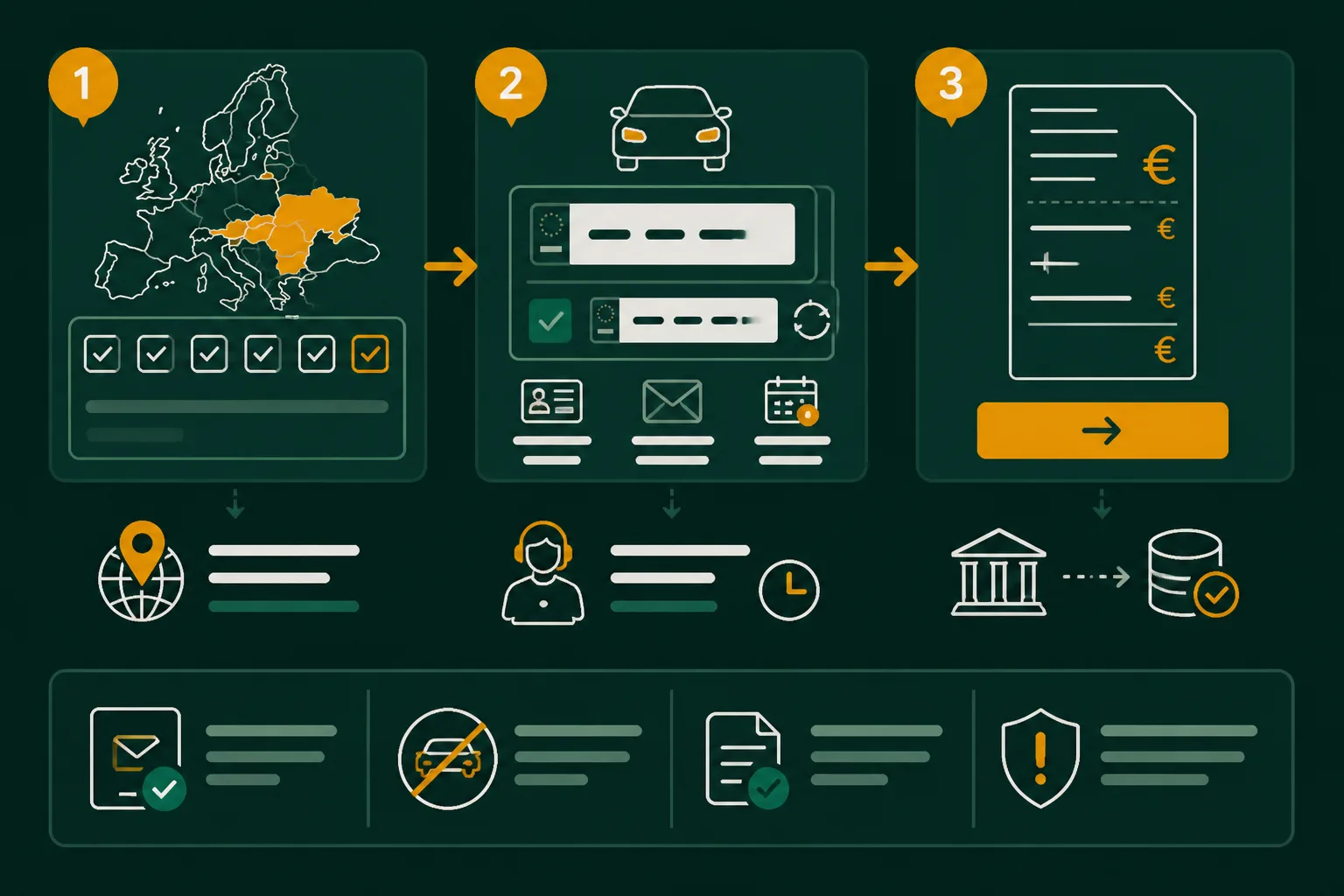
The Registration Consists of Four Data Decisions and a Check
After choosing the ordering method, it is not the payment process that determines the assignment, but your vehicle data. For a German vehicle, you need the registration country, the license plate, the appropriate vehicle category, and the actual travel period.
Using a German car as an example, the process becomes clear: Take every detail from the original documents, check the selection before finalizing, and then compare the confirmation again completely. This last data check is missing in many short explanations.
Transfer Registration Country and License Plate Without Deviation
Select Germany as the registration country and transfer the license plate exactly from the vehicle registration document. Spaces, letters, and numbers must match the actual registration. For a rental car, read both details from the rental documents, not from your own ID.
Before: Germany and "B-AB 1234" are entered from memory.
After: Germany and "B-AB1234" are taken exactly as they appear in the vehicle registration document or rental documents.
Select Vehicle Category and Validity Period Together
Select the category that matches your actual vehicle. Align the validity with your stay and travel date, rather than automatically choosing the shortest option. For a one-time transit, the period during which you actually use the toll roads counts.
Vignette Go consolidates ordering, payment, and vehicle registration multilingual in a single checkout. In addition to the official vignette price, a transparently stated service fee applies. You can check the period with the guide to the validity of the e-vignette and its verification.
Check Confirmation Against Vehicle Data Before Departure
On the confirmation page or in the email, check the license plate, registration country, vehicle category, and validity period again. Google describes the online check on eDalnice.cz in its 2021 documentation, selecting two vehicle details: registration country and license plate.
Before: The confirmation is only checked for the total amount and the date.
After: "Germany, B-AB1234, car, 10 days, start 15.06." is compared with the original documents and the travel plan.
| Situation | Better Approach | Reason |
|---|---|---|
| Own German Vehicle | Transfer registration country Germany and license plate exactly from the vehicle registration document | The digital assignment must match the vehicle actually used |
| Rental Car with Short-Term Departure | Read license plate and registration country from the rental documents | Not the driver's country of origin, but the vehicle registration is decisive |
| One-Time Transit | Select validity based on the actual stay and travel date | A too short selection may not cover the planned period |
| Registration Completed | Compare confirmation with license plate, registration country, category, and period | Errors are easier to detect before departure than afterwards |
These Registration Errors Occur at Different Points
A license plate can be incorrectly registered despite correct payment data. Often, the error only becomes apparent in the confirmation, such as when a letter is missing, the registration country does not fit, or the period ends too early.
Check each input point with the appropriate document. Before departure, a deviation can be detected and corrected much faster based on your vehicle documents.
Incorrect License Plate or Registration Country
A typo occurs when even one character does not match the vehicle registration document or rental documents. Transferred spaces and special characters can also alter the input.
Weak: Copying "B AB 4721" from a message. Strong: Compare "B-AB4721" character by character with the vehicle registration document and then check it again in the confirmation. The registration country describes the vehicle, not the residence or origin of the driver. Therefore, for a German rental car, Germany remains decisive.
Inappropriate Vehicle Category
If the selected category does not match the vehicle type, the error will be noticed when comparing with the vehicle details. Check before confirmation whether you are registering a car, motorcycle, or another permissible vehicle.
A multilingual ordering assistant like Vignette Go can facilitate the input but does not replace the cross-check with your documents. For rental cars, the guide to the vignette for rental cars fits into the same verification process.
Validity Ends Before the Last Travel Day
The error becomes visible when your travel plan extends beyond the end date stated in the confirmation. Compare the last planned travel day with the selected validity period before finalizing the purchase.
Confirmation Not Cross-Checked with the Vehicle
A confirmation is only reliable when the license plate, registration country, vehicle category, and period match the vehicle actually used. Before departure, there is time for a controlled correction. Later, a deviation may already be noticed during a check.
| Symptom | Likely Cause | First Check Step |
|---|---|---|
| One letter or number does not match the documents | Typo or error in the license plate | Compare license plate character by character with vehicle registration document or rental documents |
| The confirmation shows a different country than expected | Incorrect registration country selected | Check the vehicle's registration country instead of the driver's residence or country of origin |
| The vehicle details do not match the selection | Inappropriate vehicle category chosen | Recheck vehicle type and selected category before confirmation |
| The travel period extends beyond the end date | Validity selected too short | Check travel plan and select appropriate duration before finalizing |
| The input contains unexpected spaces or characters | Spaces or special characters copied from a template | Re-enter license plate according to the input form requirements |
- License Plate: Cross-check with vehicle registration document or rental documents.
- Registration Country: Confirm the country of the vehicle, not that of the driver.
- Category: Compare vehicle type and selected category.
- Period: Cross-check the first and last travel day with the validity.
- Confirmation: Recheck all four details before departure.
Where You Can Buy the Czech Vignette Online and Officially
You can buy directly from the government portal or manage multiple countries in one process. Both methods differ in processing, language, and additional fees. The online purchase of electronic vignettes takes place over the internet, as confirmed by Google's own documentation.
Buying the Vignette for the Czech Republic Online
You can buy the Czech digital vignette online through the government portal eDalnice.cz. Access the address yourself, select the appropriate validity period, and check vehicle data and license plate before payment. This way, you avoid landing on a similarly named intermediary site or confirming an entry without verification.
The Official Site for the Vignette in the Czech Republic
The official site for the Czech vignette is eDalnice.cz. Enter the address directly into the browser and check before finalizing whether the registration country, license plate, and vehicle category are correctly entered. The portal is the official purchasing location, not just an independent registration service with an additional fee.
Another Purchase Option for the Czech Vignette
You can buy the vignette either directly at eDalnice.cz or through an independent service like Vignette Go. Vignette Go is suitable if you want to register multiple European countries in one process, need a multilingual interface, or want to manage payment and vehicle details together. In addition to the official vignette price, a transparently stated service fee applies there.
Start with the License Plate, Not the Payment Page
After choosing the purchasing location, a clear order counts. First, prepare the vehicle data before opening payment details or submitting an order.
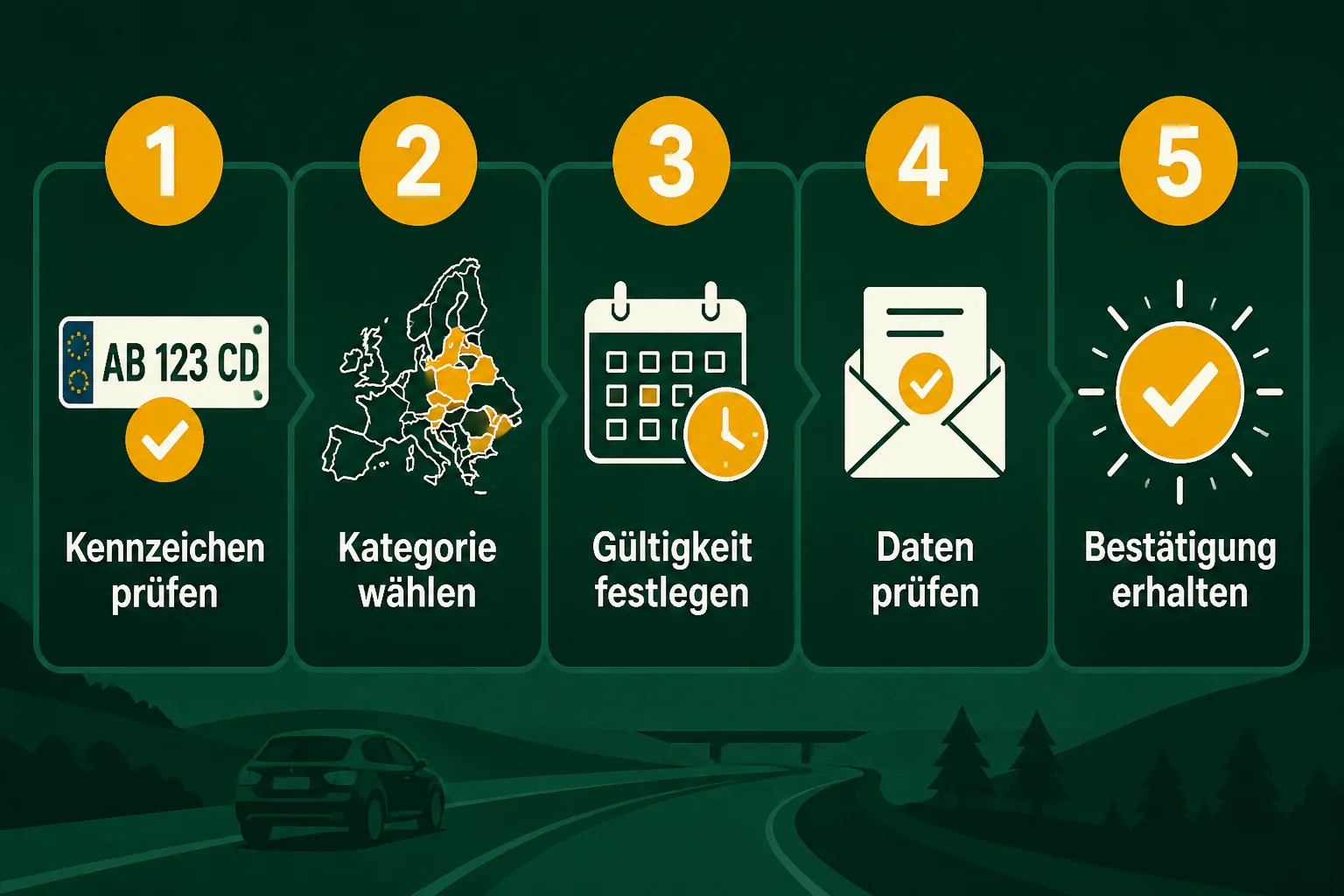
The registration begins with a simple check: Do the license plate and registration country match the documents exactly? After that, you can determine the category, validity, and confirmation.
1. Prepare Vehicle Data
- Open Documents: Place the vehicle registration document or the pickup documents for a rental car next to your device.
- License Plate: Read each character directly from the document, including letters, numbers, and possible special characters.
- Registration Country: Only select Germany if the vehicle is actually registered there.
- Vehicle Type: Be ready to register whether you have a car, motorcycle, or another permitted vehicle.
Incorrect: The license plate is entered from memory, confusing "B" with "8". Correct: "B-AB 2481" is taken character by character from the vehicle registration document.
2. Select Registration and Validity
- Make Selection: Open the official eDalnice site or use Vignette Go if you want to manage multiple countries and a multilingual process in one go.
Then select the appropriate vehicle category and the period for your trip. With Vignette Go, a transparent service fee is added to the official vignette price. Check before submitting whether the chosen start matches your actual trip.
3. Secure Confirmation Before the Trip
- Check Summary: Before payment or final submission, verify the license plate, registration country, category, validity start, and validity duration.
- Complete Order: Only pay when these details match your documents.
- Save Confirmation: Keep the received confirmation, for example in your email or as a PDF, and ensure it is accessible for the trip.
If you want to complete the registration for multiple European countries, Vignette Go consolidates information on ordering and vehicle registration for travelers, commuters, and rental car drivers in a multilingual process. The transparent service fee is charged in addition to the official vignette price.